





Automate AI Localization
Localization automation transforms how you translate applications. The ai-l10n npm package brings AI-powered translation directly into your development workflow, supporting localization files with intelligent automation features.
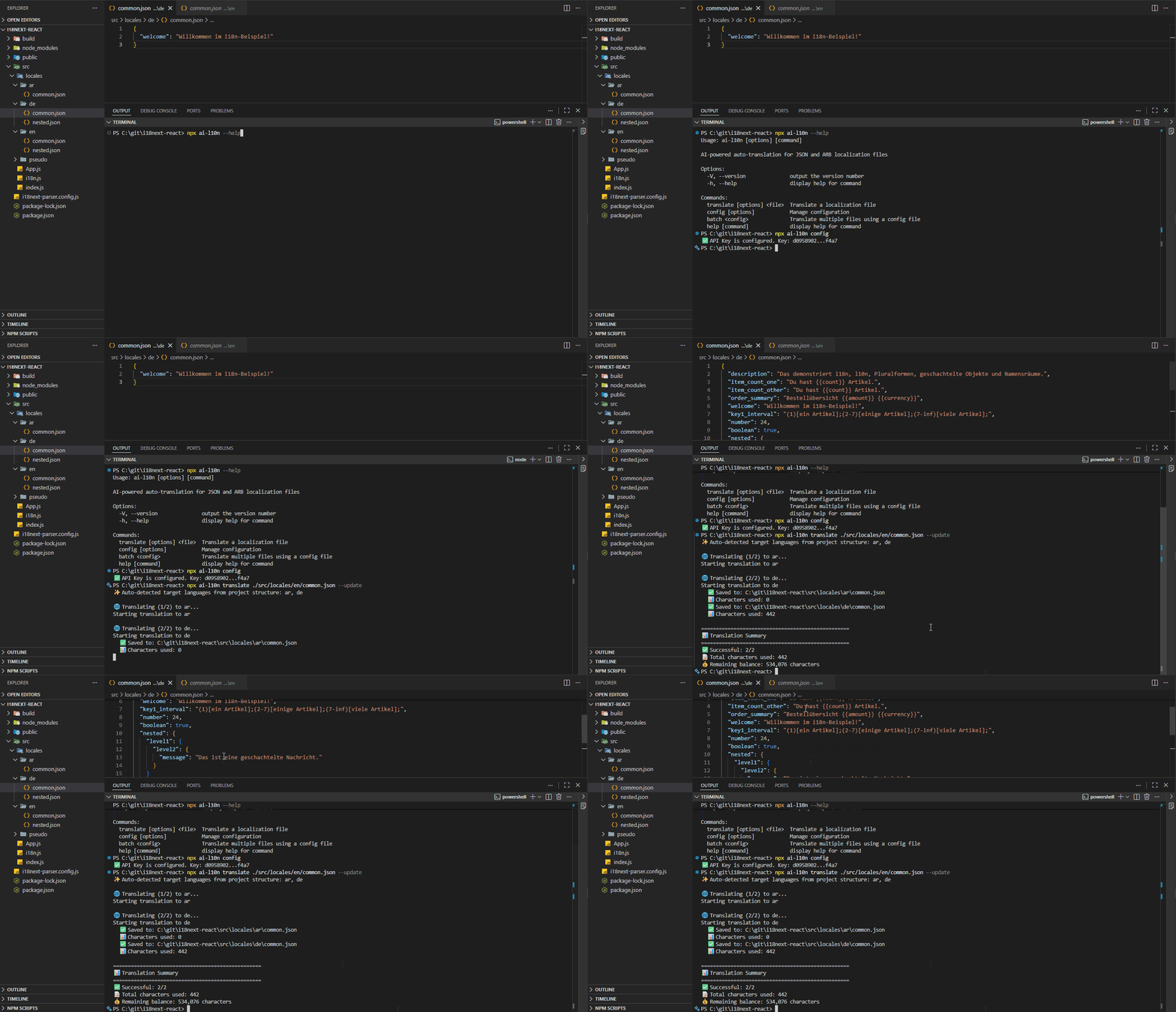
AI-powered localization automation in action
Why Automate Localization?
Manual translation management is time-consuming and error-prone. Automation provides:
- Save hours of manual translation work with AI-powered automation.
- Ensure consistency across all translations with context-aware AI.
- Integrate translations directly into your CI/CD pipeline.
- Automatically detect and translate new strings while preserving existing translations.
- Support 165+ languages with context-aware translation quality.
AI-Powered Features
The ai-l10n package uses advanced AI to deliver production-quality translations:
AI understands the context of your strings, preserving placeholders, HTML tags, and formatting while adapting dates and numbers to target locales. It intelligently avoids translating proper names, URLs, and technical terms.
Automatically detects target languages from your project structure (folder-based or file-based). No need to manually specify languages if they already exist in your project.
Preserves JSON data types—numbers stay numbers, booleans stay booleans, null values are maintained. Supports i18next plural forms with automatic suffix generation for complex pluralization rules.
Automatically detects and retries if placeholders or formatting are lost. For large files, splits content into manageable chunks while maintaining context. Prevents issues common with direct AI uploads where exceeding ~16,000 characters causes content loss.
Getting Started
Install the ai-l10n package using npm, yarn, or pnpm:
npm install ai-l10n
Get your free API key and configure it:
npx ai-l10n config --api-key YOUR_API_KEY
Translate your localization files with a simple command:
# Auto-detect target languages from project structure
npx ai-l10n translate path/to/en.json

# Specify target languages
npx ai-l10n translate path/to/en.json --languages es,fr,de
Usage Scenarios
Use the CLI for quick translations with full control over options:
npx ai-l10n translate ./locales/en.json \
  --languages es,fr,de,ja,zh-CN \
  --plural \
  --verbose
Integrate translation directly into your Node.js applications:
import { AiTranslator } from 'ai-l10n';

const translator = new AiTranslator();

// Basic translation
const result = await translator.translate({
  sourceFile: './locales/en.json',
  targetLanguages: ['es', 'fr', 'de'],
});

console.log(`Translated to ${result.results.length} languages`);
console.log(`Used ${result.totalCharsUsed} characters`);
Seamlessly integrate AI-powered translation into your CI/CD pipelines with our ai-l10n GitHub Action:
Create a configuration file:
// example ai-l10n.config.json
[
  {
    "sourceFile": "./locales/en/common.json",
    "targetLanguages": ["es", "fr", "de"],
    "translateOnlyNewStrings": true
  },
  {
    "sourceFile": "./locales/en/common.json",
    "targetLanguages": ["pl", "ar"],
    "generatePluralForms": true,
    "translateOnlyNewStrings": true
  }
]
Add to your GitHub Actions workflow:
name: Auto-translate i18n files

on:
  push:
    branches:
      - main
    paths:
      - 'locales/en/**'
      - 'ai-l10n.config.json'

permissions:
  contents: write

jobs:
  translate:
    runs-on: ubuntu-latest
    steps:
      - uses: actions/checkout@v4

      - uses: l10n-dev/ai-l10n@v1
        with:
          api-key: ${{ secrets.L10N_API_KEY }}
          config-file: 'ai-l10n.config.json'
          pull-request: false
GitLab CI configuration using the ai-l10n batch command:
# .gitlab-ci.yml
translate:
  stage: deploy
  image: node:20-alpine
  only:
    - main
  changes:
    - locales/en/**/*
    - ai-l10n.config.json
  script:
    - npm install -g ai-l10n
    - npx ai-l10n batch ai-l10n.config.json
  variables:
    L10N_API_KEY: $L10N_API_KEY
Jenkins pipeline configuration using the ai-l10n batch command:
// Jenkinsfile
pipeline {
  agent any

  stages {
    stage('Translate') {
      when {
        changeset "locales/en/**"
      }
      steps {
        script {
          sh 'npm install -g ai-l10n'
          withCredentials([string(
            credentialsId: 'l10n-api-key',
            variable: 'L10N_API_KEY'
          )]) {
            sh 'npx ai-l10n batch ai-l10n.config.json'
          }
        }
      }
    }
  }
}
Advanced Features
Translate only new keys while preserving existing translations:
# Only translate new keys, preserve existing translations
npx ai-l10n translate path/to/en.json --update
Translate multiple files at once with a configuration file:
// example translate-config.json
[
  {
    "sourceFile": "./locales/en/common.json",
    "targetLanguages": ["pl", "ru", "ar"],
    "generatePluralForms": true,
    "translateOnlyNewStrings": true
  },
  {
    "sourceFile": "./locales/en/admin.json",
    "targetLanguages": ["pl", "ru", "ar", "de"]
  }
]
npx ai-l10n batch translate-config.json
Automatically generate all required plural form strings with correct suffixes for languages with complex pluralization rules (like Russian, Arabic, or Polish):
npx ai-l10n translate ./locales/en.json \
  --languages ru,ar,pl \
  --plural
Full support for Flutter Application Resource Bundle files with automatic metadata updates:
npx ai-l10n translate ./lib/l10n/app_en_US.arb \
  --languages es_ES,fr_FR,de
Language Support
l10n.dev supports 165+ languages with varying proficiency levels:
- Strong (12 languages): English, Spanish, French, German, Chinese, Russian, Portuguese, Italian, Japanese, Korean, Arabic, Hindi
- High (53 languages): Most European and Asian languages including Dutch, Swedish, Polish, Turkish, Vietnamese, Thai, and more
- Moderate (100+ languages): Wide range of world languages
Project Structure Detection
ai-l10n automatically detects your project structure and generates translations accordingly:
Organize translations by language folders:
locales/
  en/
    common.json
    errors.json
  es/              # Auto-detected
    common.json
    errors.json
  fr-FR/           # Auto-detected
    common.json
Use separate files for each language:
locales/
  en.json          # Source
  es.json          # Auto-detected
  fr-FR.json       # Auto-detected
  zh-Hans-CN.json  # Auto-detected
Best Practices
- Use Incremental Updates: Use the --update flag to translate only new strings, preserving existing translations and saving characters.
- Integrate with CI/CD: Automate translations on every commit to your source language files for always up-to-date translations.
- Store API Keys Securely: Use environment variables or secrets management for API keys in CI/CD environments.
- Review Filtered Content: Check .filtered files for strings excluded due to content policy violations.
- Use Batch Configuration: For multiple files, use batch translation config to manage all translations from a single command.
Ready to streamline your localization workflow with AI?
Upload your i18n files and let AI handle the translation with context awareness and proper formatting
Let your coding assistant focus on code. Set up our AI localization agent to handle translations efficiently.
Discover why AI-powered translation is better for i18n files than traditional methods
Bring AI localization into your workflow with our extensions and plugins
The ai-l10n npm package brings professional AI-powered translation automation directly into your development workflow. With support for JSON and Flutter ARB files, intelligent project detection, and seamless CI/CD integration, you can focus on building features while translations happen automatically.
Start automating your localization today and join thousands of developers who trust l10n.dev for their translation needs.